
Wishlist Maker - Listful
ListfulLifestyle
4.7252.00 Reviews
- Version
- 1.24.0
- Installs
- 100.00K
- Age Rating
- Everyone
Screenshots
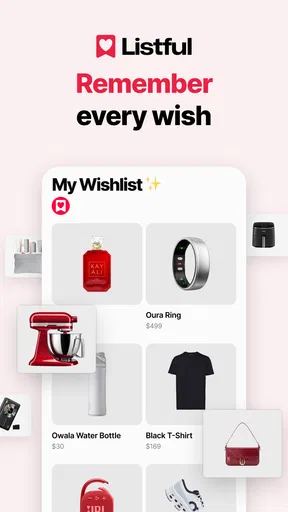
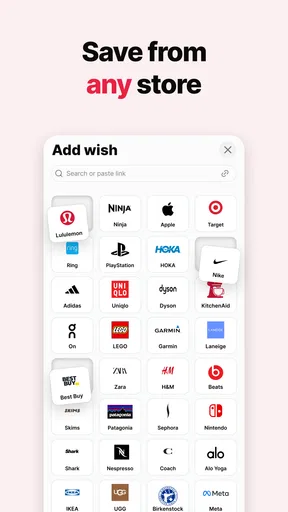
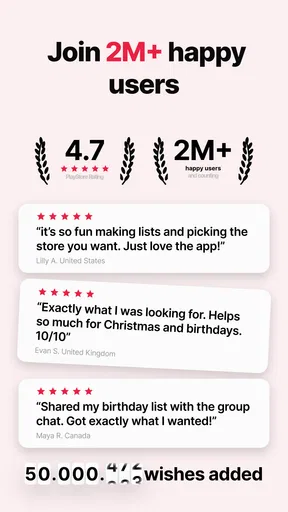
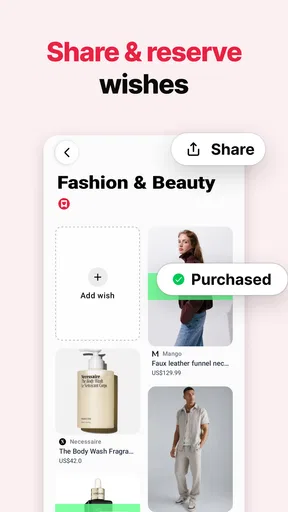
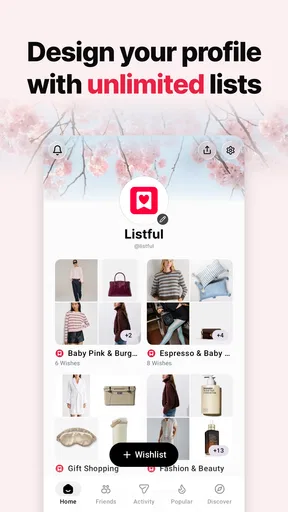
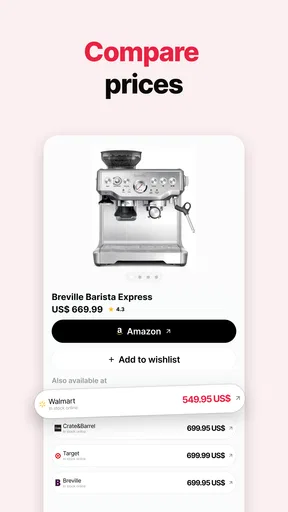
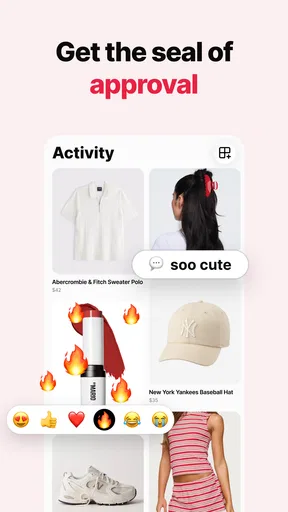
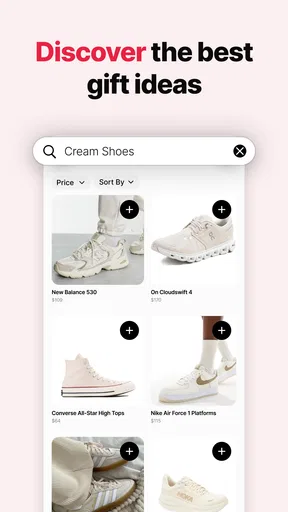
Our Review of Wishlist Maker - Listful
 Analysis by Appyee
I came to Wishlist Maker - Listful with a familiar problem: I could remember things I wanted, but turning those ideas into a useful list for other people was harder than it should be. A note on my phone was private, scattered, and usually missing the details that make a gift choice easy. This app takes a more focused approach. It is a lifestyle tool from Listful for collecting possible gifts and presenting them as a shareable registry.
What I like most is that it treats a wishlist as something meant to move between people. I can gather an item, keep it with other ideas, and give someone else one place to browse. That sounds simple, but the handoff is where many ordinary notes and saved browser pages fail. A list is only useful if the person receiving it can understand what I meant without asking several follow-up questions.
The app is free to install, is suitable for Everyone, and works on Android devices running version 8.0 or later. Its current version is 1.17.0. There are optional in-app purchases priced from $9.99 to $29.99 per item, so I would approach it as a free starting point and check the available upgrade choices before building a large, long-term system around it.
From a vague idea to a usable gift list
I find a wishlist works best when I begin by capturing the need behind an idea, not just its product name. In this section, I look at how a loose thought can become a clear, useful choice for someone else, and why a little context before sharing can prevent avoidable guesswork.
Starting with the problem, not the product
The best way to use this app is not to open it only when a birthday is already close. I found it more useful as a place to collect ideas gradually. When I notice a book, kitchen item, piece of clothing, hobby accessory, or small upgrade that might suit me, I can treat the app as a holding area instead of trusting my memory.
That change in timing matters. A wishlist built in a hurry tends to contain broad descriptions such as “new headphones” or “something for cooking.” A list built over time can carry more useful intent: the exact style I prefer, the color I would choose, or the kind of item I would actually use. Even when the app does the organizational work, the quality of the final result still depends on how thoughtfully I add each entry.
I also see a clear use for families and couples who repeatedly ask the same question: “What would you like?” Rather than sending a new message every time, I can keep one living list and share it when the occasion arrives. That reduces duplicated conversations and gives the other person room to choose without turning the gift into a guessing game.
Adding items from different stores
The central workflow is built around saving products from stores rather than limiting the list to one retailer. That makes the app more practical for real shopping, because the best option for one item may come from a completely different place than the best option for another.
My advice is to add items with the recipient in mind. If a product has several versions, the saved entry should make the intended choice obvious. A wishlist is not a private scrapbook; it is a set of instructions being passed to another person. A vague entry may look fine while I am making it, but it creates friction when someone else tries to buy from it.
This is one of the app’s less obvious strengths: it encourages me to separate discovery from decision-making. I can collect several possibilities first, then remove weaker choices later. That is better than sending a friend a stream of individual links while I am still browsing. It also makes the final list feel deliberate instead of unfinished.
Organizing before sharing
Before I share a list, I would review it as if I were a guest seeing it for the first time. Are the items still relevant? Is there a clear difference between a must-have and a nice-to-have? Would another person know which version I meant? This short review is important because saved products can become outdated in my own mind even when they remain visible in the list.
I would also avoid adding every passing impulse. A shorter list with distinct choices is easier for another person to use than a crowded collection with several near-duplicates. For a birthday, I might keep the entries varied in price and type. For a wedding or household registry, I would be more selective and remove things that no longer fit the occasion.
The practical trick is to edit for the person receiving the link, not just for yourself. That means checking whether the list communicates enough context and whether the choices leave room for a gift-giver to make a comfortable decision.
The handoff through one shared destination
The app’s most important promise is the ability to share a wishlist in one link. In everyday use, that changes the handoff from a messy bundle of messages into a single destination. I can send the same list to a relative, a group chat, or someone organizing a shared present without recreating the information each time.
This is particularly helpful when several people may be shopping for the same occasion. Instead of forwarding separate product pages, I can point everyone toward the same collection. The list becomes the reference point, while the actual conversation can stay focused on timing and coordination.
There is a subtle social advantage here too. A shared wishlist gives people options without making them feel as though they have been assigned one exact purchase. That balance is useful: I can express what I would enjoy while still allowing the giver to choose what fits their budget, availability, or personal style.
What the recipient experiences
When I imagine opening a list as a gift-giver, clarity matters more than cleverness. I want to see recognizable choices and understand why they are there. A list that gathers products from different stores can be more helpful than a single-store registry because it reflects the person’s actual preferences rather than the limits of one shopping platform.
However, the shared link does not remove every responsibility from the list creator. I still need to keep the collection current and avoid entries that are too ambiguous. If I change my mind, the list should be updated before I send it around. Otherwise, the convenience of one link can work against me by spreading old information efficiently.
For group gifting, I would send the link early and explain the occasion in the message around it. The app supplies the list, but a short personal note still handles the human part of the exchange. This is a good example of where the product helps without trying to replace ordinary communication.
A realistic everyday scenario
Imagine that my birthday is several weeks away and family members have already started asking for ideas. I open the app and collect a few items from different stores: one practical choice, one hobby-related option, and one thing I would not normally buy for myself. I then remove duplicates, check that each entry still represents what I want, and share the finished list in the family conversation.
One relative can choose something affordable, another can select a different item, and someone who wants to combine money with another person can use the list as a starting point. I no longer have to answer the same question separately, and they do not have to guess from a vague message. The outcome is not just a collection of products; it is a smoother exchange between the person asking and the people buying.
The same workflow can work for a new home, a holiday, or a personal “someday” list. For a household, I would prioritize useful items and remove anything that depends on a very specific size or model unless I had checked the details carefully. For a personal list, I could be more relaxed and use it as a reminder of things worth considering later.
Why it can beat notes, bookmarks, and retailer registries
A notes app is flexible, but it usually leaves me responsible for formatting, updating, and explaining every entry. Browser bookmarks are good for remembering pages, yet they are not designed as a gift-facing collection. A retailer-specific registry can be polished inside that retailer, but it becomes restrictive when my choices come from several places.
Listful sits between those options. It is more purposeful than a plain note and broader than a single-store registry. The main benefit is not that it turns shopping into something complicated; it gives the wishlist a dedicated identity and makes sharing central to the workflow.
That said, a general wishlist app is not automatically better for every situation. If I already buy everything from one retailer and want that retailer’s stock, delivery, and checkout tools closely connected to the registry, a store-native option may be more convenient. If I only need a private reminder for myself, a basic notes app may be faster and require less maintenance.
Small habits that make the workflow work better
My first useful habit would be creating separate lists for separate occasions rather than mixing birthday ideas with household purchases. That keeps the shared handoff focused. A person receiving a holiday list should not have to sort through unrelated long-term wants to find the items relevant to that event.
Second, I would keep a range of choices instead of filling the list with products that all demand the same kind of spending. Variety helps the recipient choose naturally and makes the list more welcoming to a group. This is not a feature claim; it is a planning advantage that comes from using the app as a shared registry rather than a private shopping queue.
Third, I would revisit older entries before every major share. Product pages and personal preferences change, and a link that was useful during discovery may not represent my current choice months later. A quick cleanup protects the person doing the shopping from avoidable confusion.
A fourth tip is to use the app for decisions that are easy to explain visually but awkward to describe in text. A particular lamp shape, bag style, board game edition, or kitchen tool can be much clearer as a saved item than as a sentence. This is where a dedicated wishlist can save more time than a long conversation.
Where the flow becomes less comfortable
The first point of friction is the need for ongoing curation. Saving an item is easy to understand, but a useful registry requires judgment after the saving step. If I collect too many possibilities and never edit them, the shared result becomes noisy. The app can centralize my choices, but it cannot decide which ones still matter to me.
The second limitation is that cross-store flexibility can also mean cross-store inconsistency. Different shops may present products differently, and the experience of following an item may not feel uniform from one retailer to another. For someone who wants one tightly controlled catalog, this broader approach may feel less streamlined.
I would also be cautious about treating the app as a complete group-gifting coordinator. Its strength is communicating what I want through one shared list. The people involved may still need to discuss who is buying what, especially when several guests are interested in the same item. The app reduces the information problem, but it does not necessarily solve every social or logistical detail around a present.
The optional purchase model is another consideration. The app is free, which makes it easy to try, but in-app items ranging from $9.99 to $29.99 mean that some users may eventually face a choice about whether extra paid functionality is worthwhile. I would start with the free experience, understand how well it fits my actual sharing habits, and only then decide whether an upgrade makes sense.
Who should use it, and who should skip it
I would recommend it to people who regularly receive gift questions, shop across multiple stores, or want one clean way to communicate preferences to family and friends. It is also a good match for anyone who has outgrown scattered screenshots and saved messages but does not want to build a complicated spreadsheet.
It makes particular sense when the list will be seen by more than one person. The shared-link workflow earns its value during birthdays, holidays, celebrations, and group occasions where repeated explanations become tiring. The app’s Everyone rating also makes it suitable for a broad household audience rather than a narrowly defined age group.
I would skip it if my only need is a temporary private note, if I strongly prefer a single retailer’s built-in registry, or if I dislike maintaining lists after creating them. Someone who wants a completely automatic system may be disappointed, because the quality of the result still depends on reviewing and refining the entries.
My final take after following the complete path
With an average rating of 4.6 from around 1.9 thousand ratings and more than 100 thousand installs, the app has clearly attracted a meaningful audience for a focused lifestyle use case. Those figures do not replace personal testing, but they fit my impression: this is a straightforward tool aimed at making gift communication less scattered.
What I value is the complete path from discovery to outcome. I can start with an unstructured idea, save choices from different stores, clean them up, and pass the finished result to other people through one shared destination. The most important benefit appears at the handoff, where a personal list becomes useful to someone else.
It is not a replacement for every registry, shopping list, or note-taking tool. Its best role is narrower and clearer: a dedicated place for gift ideas that need to travel between people. If that is the problem I am trying to solve, I would try Wishlist Maker - Listful before returning to scattered links. If I only need private reminders or a retailer-controlled buying experience, I would choose the simpler alternative instead.
Overall, I see it as a practical free starting point for anyone who wants to make requests without making gift-givers guess. The app works best when I treat sharing as the finish line, not merely as an extra button: collect thoughtfully, edit before sending, and remember that a good wishlist is a small piece of communication as much as it is a shopping tool.
Privacy and Permissions
See what permissions an app requests and how it handles your data.
- Contacts
- read your contacts
- Photos/Media/Files
- read the contents of your USB storage, modify or delete the contents of your USB storage
- Storage
- read the contents of your USB storage, modify or delete the contents of your USB storage
- Camera
- take pictures and videos
- Microphone
- record audio
- Other
- view network connections, full network access, run at startup, prevent device from sleeping, Google Play license check, read Google service configuration
Verdict
Strengths of Wishlist Maker - Listful
- Create and organize multiple wishlists for different occasions.
- Share lists easily with friends and family through a simple link.
- Add item details such as prices, notes, and product links.
- Useful for birthdays, holidays, weddings, and everyday gift planning.
- Clean interface makes adding and managing wishes quick.
Limitations of Wishlist Maker - Listful
- Some advanced features may require a premium subscription.
- Product availability and prices may change after items are saved.
- Sharing options can depend on the recipient using a compatible device.
- Large lists may become difficult to manage without regular organization.
- The app’s usefulness depends on friends and family checking the shared list.
Similar Picks in This Category
View All
SmartThings
Samsung Electronics Co., Ltd.4.6

Google Home
Google LLC4.0

Pinterest4.2

Astrotalk - Talk to Astrologer
Astrology & Horoscope4.7

My Verizon
Verizon Consumer Group4.5

Samsung Wallet (Samsung Pay)
Samsung Electronics Co., Ltd.4.1
Frequently Asked Questions
What is Wishlist Maker - Listful used for?
Wishlist Maker - Listful is designed to help you create, organize, and manage wishlists in one convenient place. You can add products, gift ideas, experiences, or personal goals and keep them grouped for different occasions. It is useful for birthdays, holidays, weddings, shopping plans, or simply saving items you may want to purchase later.
Can I add items from different stores to a Listful wishlist?
Yes, the app is intended to make it easier to collect wishlist ideas from multiple sources instead of keeping separate notes or browser bookmarks. Depending on the item and the information available, you may be able to save a product link, title, image, price, or description. It is still a good idea to check the original retailer before buying, since availability and prices can change.
Can I share my wishlists with friends and family?
Wishlist Maker - Listful is particularly useful when you want to share gift ideas with other people. You can generally provide access to a wishlist through sharing options available in the app, allowing friends or relatives to view items for a special occasion. Before sharing, review the list and its visibility settings to make sure only the information you want others to see is available.
Does Wishlist Maker - Listful require an account or internet connection?
Some features may work without a permanent connection, but account access and internet connectivity can be important for syncing lists, saving information across devices, opening product links, and sharing wishlists. Requirements can vary according to the current version of the app and your device. Check the app’s sign-up screen and store description before downloading if offline use or account-free access is essential to you.
Is Wishlist Maker - Listful free to download and use?
The app may be available as a free download, although certain features, upgrades, advertisements, or optional purchases can depend on the current version and platform. Before installing, review the Google Play Store or Apple App Store listing for pricing, subscriptions, and in-app purchase details. Also check the permissions requested by the app so you understand what access is needed for its wishlist and sharing functions.
